
To scrape Instagram Reels audio, you copy the link of a sound’s audio page, paste it into an Instagram audio scraper, and export the creators who used that sound in their Reels - with their contact emails - to a CSV. In SocialScraper it’s one link and one click, with no Instagram login and no code.
Every trending sound on Instagram has an audio page listing the Reels that use it. That makes audio one of the best ways to find creators - people who actively make content, in a specific style or niche, right now. If you run influencer campaigns, recruit UGC creators, or sell to content creators, this is your source.
Why audio is a goldmine for finding creators
Followers and likers show who is interested in a niche. People who use a sound add another layer: they are, by definition, making Reels:
- Active creators only. Everyone on an audio page published a Reel with that sound.
- Niche by default. Sounds cluster by niche - a fitness transformation sound, a “day in the life of a founder” sound, a skincare routine sound.
- Trend-timed. Scraping a sound while it’s trending reaches creators at the moment they’re most active.
| Who you’re looking for | Sound to look for |
|---|---|
| Fitness creators and coaches | Sounds used in workout and transformation Reels |
| Beauty and skincare creators | Sounds used in “get ready with me” and routine Reels |
| Founders and small brands | Sounds used in behind-the-scenes and packing-orders Reels |
| UGC creators | Sounds popular in product review and unboxing Reels |
| Local businesses | Sounds trending in your city or industry |
How to find the right sound
- Start from a creator you’d love to work with. Open one of their Reels and check which sound it uses.
- Click the audio name at the bottom of the Reel to open the sound’s page and see how many Reels use it.
- Check who’s using it. Scroll the Reels on the audio page. If they’re from creators or businesses in your niche, it’s a good sound to scrape.
💡 Tip: “original audio” from a niche creator is often better than a viral pop song. Viral songs are used by everyone; a niche creator’s original audio is mostly reused by people in the same niche.
How to scrape Instagram Reels audio, step by step
Step 1 - Copy the audio link
On instagram.com, open a Reel that uses the sound and click the audio name at the bottom. That opens the audio page - copy the link from your browser’s address bar. It looks like instagram.com/reels/audio/....

You can paste the full link or just the number in it (the audio ID).
Step 2 - Paste it into Scrape audio
In SocialScraper, open Scrape audio and paste the link. Set an optional email limit to start with a sample.
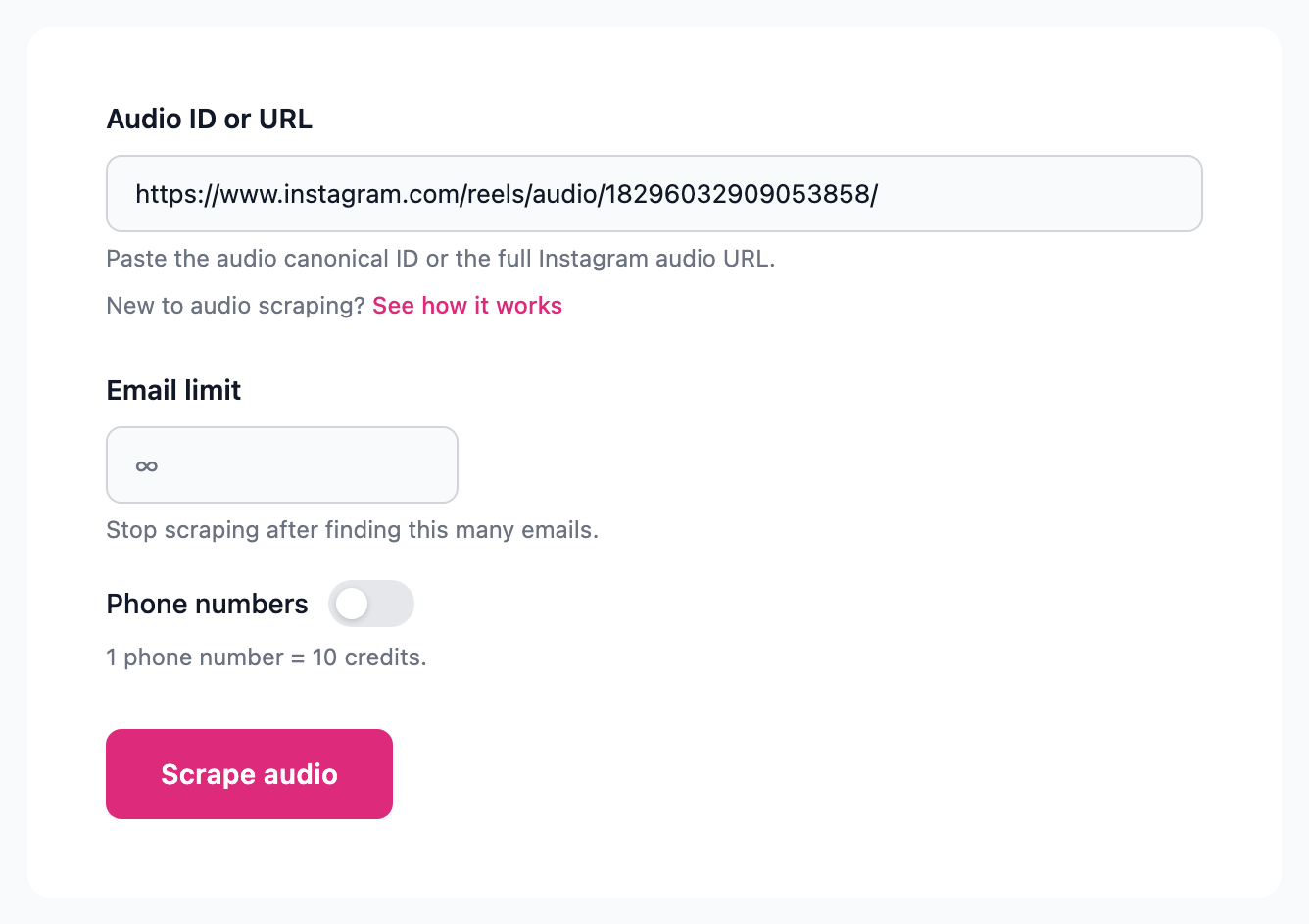
The See how it works link under the field walks through these steps inside the app.
Step 3 - Run and export
Click Scrape audio. The scrape shows up on your Results page with live progress. When it’s done, click View and export the CSV - with each creator’s username, full name, email, website, bio, location and follower count.
Audio scraping is included on every paid plan.
Filter the list down to the right creators
The export includes follower count and bio for every creator, so you can shortlist in a spreadsheet:
- Micro-creators (10k-50k followers) usually have the best engagement and the most reasonable rates.
- Nano-creators (1k-10k) are perfect for UGC - they make great content and often reply fastest.
- Bio keywords like “UGC”, “content creator”, “collabs” or “PR friendly” flag creators who are open to brand deals.
For a full creator-recruiting workflow, see our guide on how to find influencers and UGC creators on Instagram.
What to expect from an audio scrape
- List size follows the sound’s popularity. A niche original audio might give you a few hundred creators; a trending sound, many more.
- Email rates tend to be healthy. Creators who want brand deals expect to be contacted, so audio scrapes usually return a good share of emails.
- You only pay for verified emails. 1 credit = 1 verified email. Creators without an email, and duplicates, are free.
Is it legal to scrape Instagram audio pages?
Yes. Audio pages and the Reels on them are publicly visible, and collecting publicly available information is generally legal. SocialScraper never accesses private accounts or bypasses logins, and never asks for your Instagram credentials.
- GDPR and CCPA compliant, with a simple opt-out process.
- Zero risk to your account - you never connect your Instagram.
When you reach out, identify yourself, include an unsubscribe link and honour opt-outs. See our legal and compliance page.
More Instagram scraping guides: hashtags · locations · post likers · influencers and UGC creators
Frequently asked questions
How do I find the audio ID of an Instagram Reel?
Open the Reel on instagram.com and click the audio name at the bottom. The number in the audio page’s URL - instagram.com/reels/audio/<number>/ - is the audio ID. You can paste the number or the whole link into SocialScraper.
Can I see everyone who used a sound on Instagram?
Instagram shows the Reels that use a sound on its audio page. An audio scraper collects the creators behind those public Reels and exports them with contact details where found.
Is scraping audio good for finding influencers?
Yes - it’s one of the best methods, because everyone on an audio page is an active creator. Pick sounds popular in your niche, then filter the export by follower count and bio keywords.
Do I need an Instagram account?
No. SocialScraper runs in the cloud and never asks for your Instagram login.
Can I scrape audio from TikTok too?
This guide covers Instagram Reels. For TikTok, our sister product TokScraper does the same for TikTok sounds - it finds the creators who used a sound and their emails.
Ready to find your next creators? Start with 10 free verified emails - no credit card required.