The best Instagram email scraper for most people in 2026 is a cloud tool that doesn’t use your own Instagram account - it’s faster, it scales, and there’s no risk of your Instagram account getting suspended. SocialScraper tops our list for that reason. Chrome extensions are cheaper but run on your own logged-in account, and DIY scripts cost the least in cash and the most in time.
Below we compare 8 tools across all three approaches, with real pricing as of September 2026.
Cloud vs extension vs DIY: which approach should you use?
| Cloud platforms | Chrome extensions | DIY / developer | |
|---|---|---|---|
| How it works | Runs on the tool’s servers | Runs in your browser, on your Instagram session | Your own code, accounts and proxies |
| Uses your Instagram account? | Usually not | Yes | Yes (often several) |
| Speed & scale | Whole audiences, in the background | Limited by your browser | Limited by rate limits |
| Setup | Minutes | Minutes | Days, plus ongoing maintenance |
| Cost | 10 emails free, then from $49/mo | Often free or cheap | “Free” - but proxies, accounts and time |
| Best for | Anyone who needs real lead lists | Small, occasional pulls | Developers with very custom needs |
 Cloud (SocialScraper)
- No risk of your Instagram account getting suspended
- Whole audiences: followers, following, hashtags, likers, lists
- Emails and phone numbers
- Only pay for contacts actually found
- Ready-to-send CSV in minutes
- Run on your own logged-in account
- Action blocks, restrictions and bans are a known risk
- Slow: limited by your browser or rate limits
- You handle dedup, verification and export
- Cheap or free to start
The 8 best Instagram email scraper tools at a glance
| # | Tool | Type | Emails | Phones | Uses your IG account? | Starting price |
|---|---|---|---|---|---|---|
| 1 | SocialScraper | Cloud | Yes | Yes | No | 10 emails free, then $49/mo (1,000 emails) |
| 2 | PhantomBuster | Cloud automation | Yes | Yes | Yes (session cookie) | $69/mo |
| 3 | Apify | Cloud (developer) | Via community Actors | Via community Actors | No | Pay-per-result |
| 4 | LeadStal | Extension | Yes | Yes | Yes | Free scraping |
| 5 | Growman IG Email Extractor | Extension | Yes | Yes | Yes | Free tier |
| 6 | Instant Data Scraper | Extension | Only visible text | No | Yes | Free |
| 7 | Instaloader | DIY (Python) | No dedicated field | No | Yes | Free |
| 8 | Instagram Graph API | DIY (official) | No | No | Yes (Business account) | Free |
Pricing as of September 2026, from each tool’s official pricing page or store listing.
Cloud platforms
1. SocialScraper - Best overall
SocialScraper turns any Instagram audience - a competitor’s followers or following, a hashtag, the people who liked a post, or your own list - into a list of emails and phone numbers. It runs in the cloud and never asks for your Instagram login.
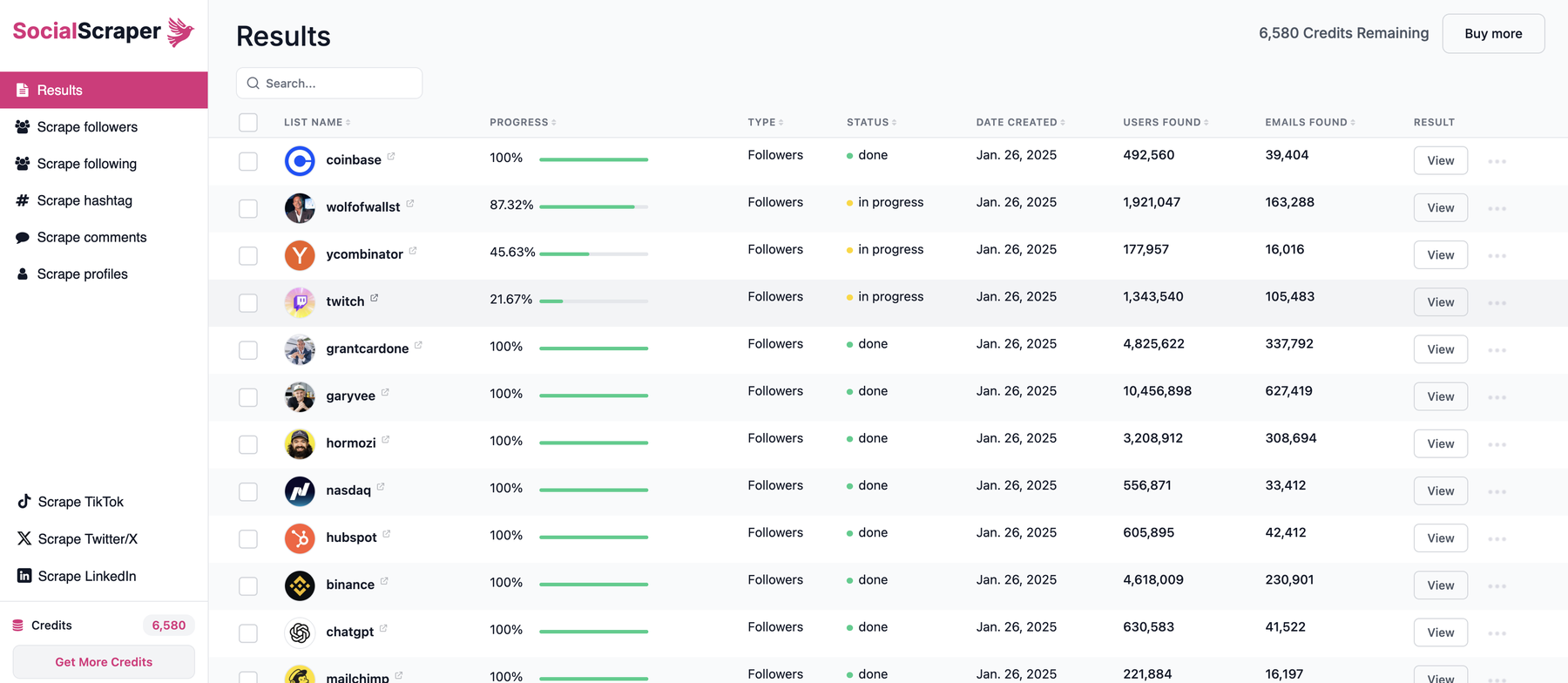
SocialScraper results: every scrape, with users and emails found, in one dashboard.
Why it’s our top pick:
- Fresh data in real time. Every scrape collects data from public Instagram profiles at the moment you run it - not records from a database shared by every other customer.
- Zero account risk. You never connect your Instagram account, so there’s no risk of your Instagram account getting suspended.
- Emails and phone numbers. Emails on every plan; phone numbers on any paid plan, from the same credit balance.
- Only pay for what’s found. 1 credit per email, 10 per phone number - never for duplicates or profiles without a contact.
- Rich exports. Username, full name, website, bio, location and follower count on every row, ready for Instantly, Smartlead, lemlist or your CRM.
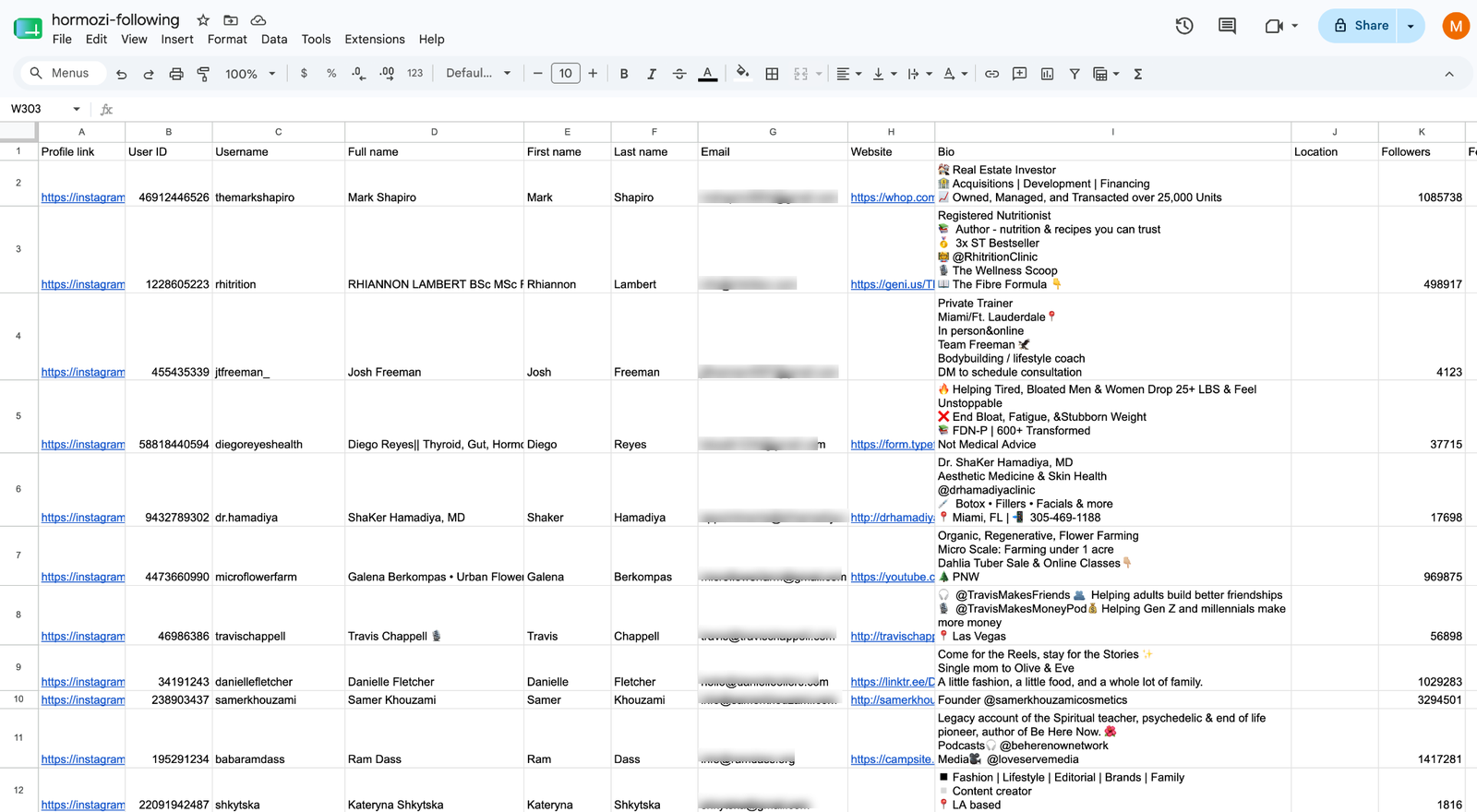
Pricing: first 10 emails free · Basic $49/mo (1,000 emails) · Growth $99/mo (4,000) · Business $249/mo (18,000) · Business+ $399/mo (30,000) · Enterprise $549/mo (50,000) · Enterprise $999/mo (100,000).
Best for: anyone who wants a ready-to-send lead list from Instagram without putting their own account on the line.
Get your first 10 emails free →
2. PhantomBuster - Best for multi-step automation
PhantomBuster’s Instagram automations can collect public profile fields, including email and phone where shown, as part of larger no-code workflows.
- Pros: flexible workflows across many platforms; mature product.
- Cons: it runs on your own Instagram session cookie, and Instagram may challenge sessions at higher volumes; billing is by execution time, which is hard to predict; you usually need to build a list of profiles first.
- Pricing: Start $69/mo · Grow $159/mo · Scale $439/mo (lower on annual billing). PhantomBuster pricing
3. Apify - Best for developers
Apify is a marketplace of scraping “Actors”. Its official Instagram Scraper returns profile and post data but not emails or phone numbers; for contact data you rely on small community-built Actors, usually chained after a separate follower or hashtag scraper.
- Pros: pay-per-result pricing; API, scheduling and integrations.
- Cons: technical setup; community email Actors vary in quality and upkeep; no built-in verification or dedup.
- Pricing: free plan with $5/mo usage · Starter $19/mo · Scale $199/mo · plus per-result Actor fees. Apify pricing
Chrome extensions
Extensions all share one trade-off: they run inside your logged-in Instagram session, so the requests come from your account. That’s why they’re cheap - and why action blocks and restrictions are a known risk. Growman’s own store listing warns that “there is a certain risk that your account may be deactivated or blocked.”
4. LeadStal - Best free extension
A Chrome extension that pulls public emails and phone numbers from profiles, hashtags, followers, following, locations and commenters, feeding a cold-email platform.
- Pros: free lead finding; cheap sending plans.
- Cons: runs on your own session and is limited by your browser’s speed.
- Pricing: lead finding free · sending from $9.99/mo. LeadStal pricing
5. Growman IG Email Extractor - Most popular IG extension
A widely used extension (100,000+ users) that extracts emails and phones from followers, following, locations and hashtags.
- Pros: popular; covers many sources; free tier.
- Cons: uses your logged-in account, with an explicit ban warning on its own listing; free exports are capped at 500 profiles per extraction.
6. Instant Data Scraper - Best generic free scraper
A free, general-purpose extension (1,000,000+ users) that exports whatever table or list is visible on a page.
- Pros: free, simple and trusted.
- Cons: not Instagram-aware - it only captures what’s rendered on screen, so it won’t give you structured email or phone fields; lots of manual scrolling.
DIY and developer options
7. Instaloader - Best open-source library
A maintained Python tool that downloads Instagram posts, profiles, hashtags and comments.
- Pros: free, open source, scriptable.
- Cons: it’s not an email scraper - there’s no dedicated email or phone field; follower lists in practice need a login; its own docs cover “429 Too Many Requests” rate limiting.
8. Instagram Graph API - The official route
Meta’s official API lets your own Business or Creator account read some public fields of other professional accounts.
- Pros: official and stable.
- Cons: email and phone aren’t among the documented fields, and there’s no endpoint to list another account’s followers - so it can’t be used to build an email list.
The DIY reality: you write and maintain code that breaks when Instagram changes; build follower enumeration, parsing, dedup, verification and export yourself; and at any real volume you’ll need multiple accounts and rotating proxies to stay under rate limits. For most teams, the time cost dwarfs the price of a cloud tool.
How to choose
- You want a finished lead list, fast, with no account risk → a cloud platform like SocialScraper.
- You need the occasional small pull and don’t mind using your own account → a free extension like LeadStal or Growman.
- You’re a developer with unusual requirements → Apify Actors or your own code - but budget real time for maintenance.
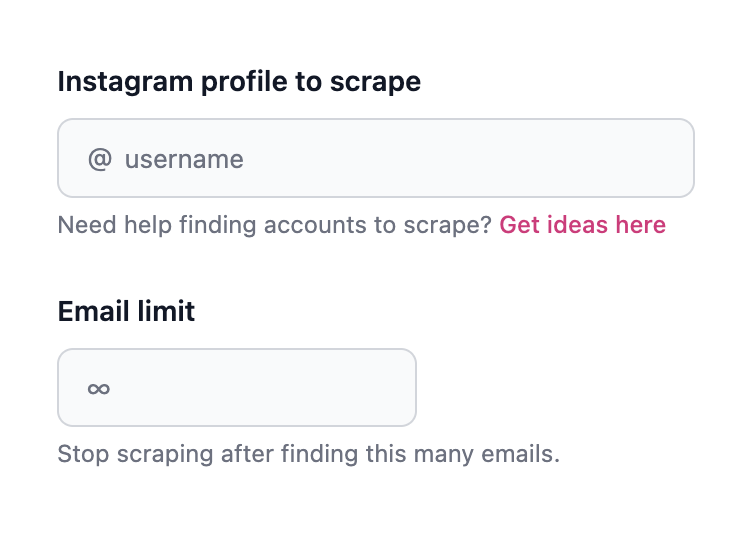
Getting started with SocialScraper takes about a minute:
Frequently asked questions
What is the best Instagram email scraper in 2026?
For most people, a cloud tool that doesn’t use your Instagram account. SocialScraper is our top pick: it returns emails and phone numbers from any audience, charges only for contacts found, and never asks for your login.
Are Instagram email scraper extensions safe?
They run on your own logged-in Instagram account, so the activity is tied to you. Several extensions warn about temporary restrictions or blocks at higher volumes. Cloud tools that don’t use your account avoid that risk.
Is there a free Instagram email scraper?
Several extensions have free tiers, and SocialScraper lets you scrape your first 10 emails free with no credit card required.
Can I get phone numbers from Instagram too?
Yes, with some tools. SocialScraper collects phone numbers on every paid plan - see how to scrape phone numbers from Instagram.
Is scraping Instagram emails legal?
Collecting publicly available information is legal, and SocialScraper only ever collects public data, without logging in. When you use the list, follow standard cold-email rules like CAN-SPAM and GDPR. See our legal and compliance page.
Ready to build your first Instagram lead list?